

Published on: 2026-02-28
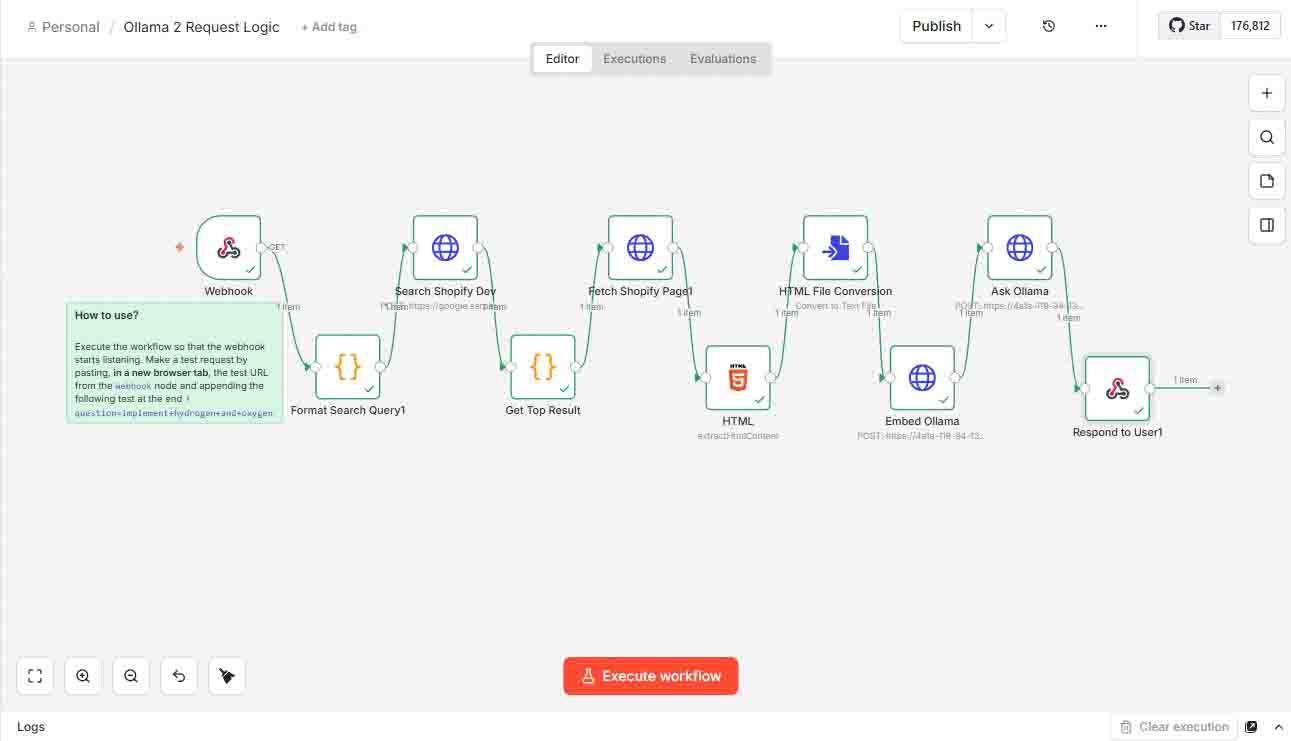
This guide demonstrates how to integrate Ollama with FastAPI and a self-hosted n8n workflow, enabling AI-powered question answering using data scraped from Shopify documentation.
This second version separates the requests: /embed for embedding and /ask for response.
You can read this first version with a single request
📌 Overview
The workflow leverages n8n for orchestrating tasks, FastAPI for processing requests, and Ollama for local AI model inference.
In this setup, FastAPI handles a single request that performs both embedding generation and chat-based answering, using search results gathered via the Serper API.
This version is similar to the previous one, but it introduces Step 9 for response and uses Step 8 for embedding.
⚙️ Workflow Steps
1 Trigger via Webhook
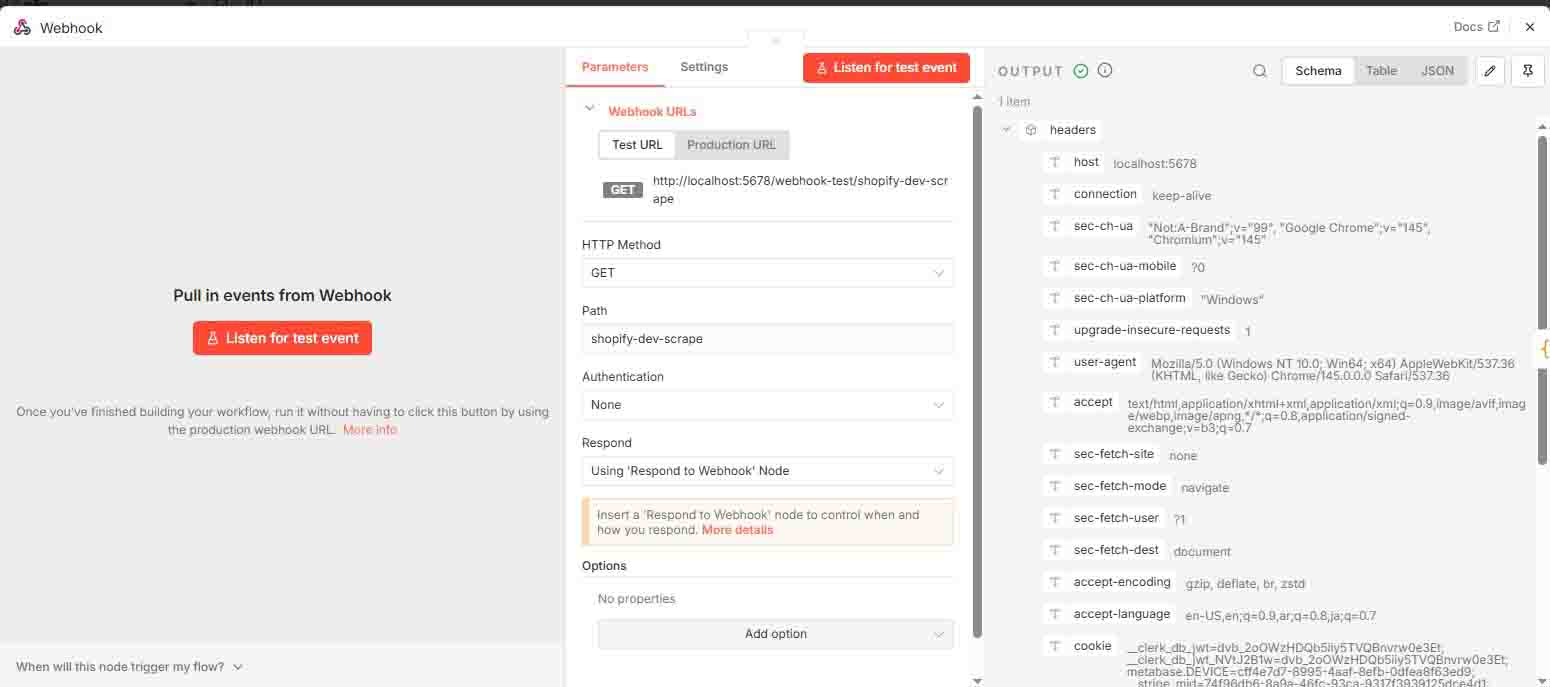
A webhook initiates the process. On this workflow example:
http://localhost:5678/webhook-test/shopify-dev-scrape?question=implement+hydrogen+and+oxygen+for+theme
2 Format Search Query
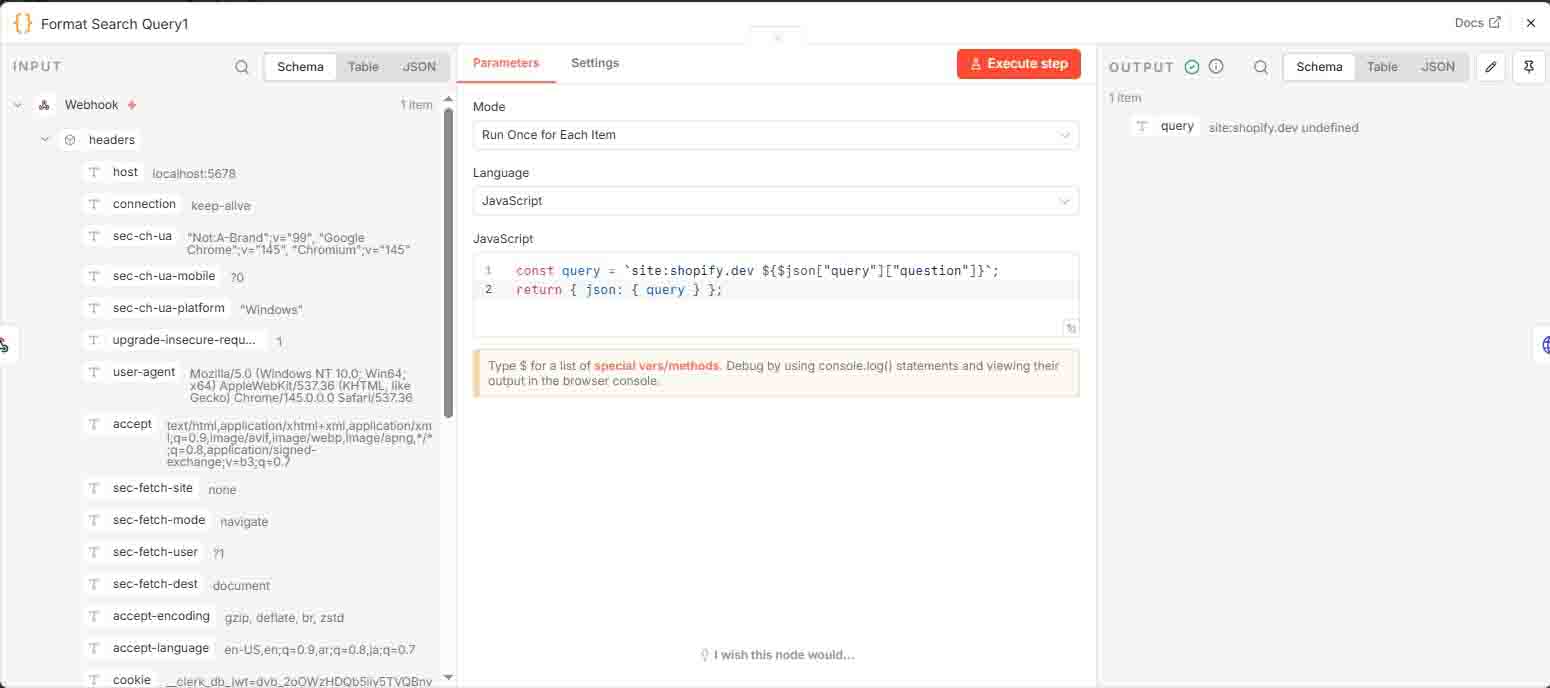
JavaScript code formats the query to target searches exclusively on the shopify.dev website.
3 Search Shopify.dev
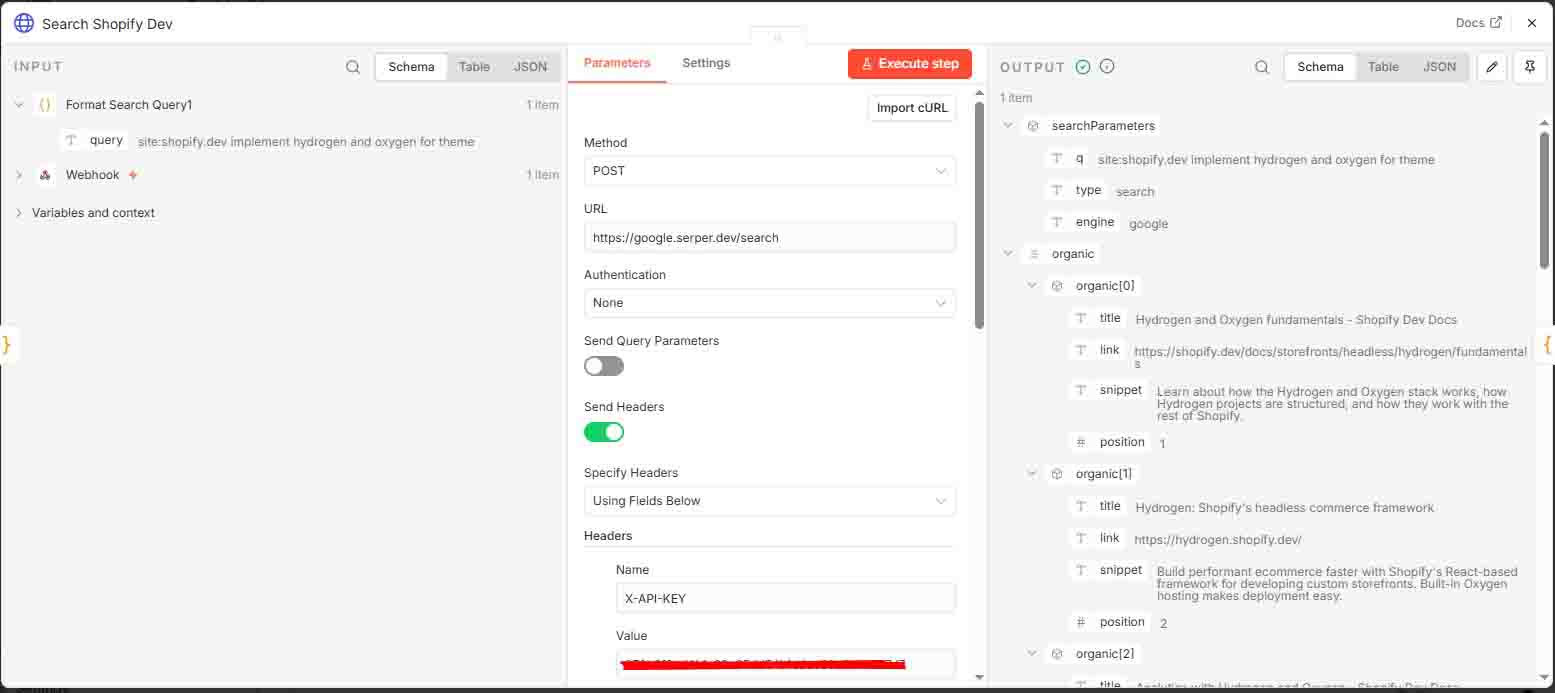
Executes a search query using Serper API (requires a free API key from serper.dev).
4 Get Top Result
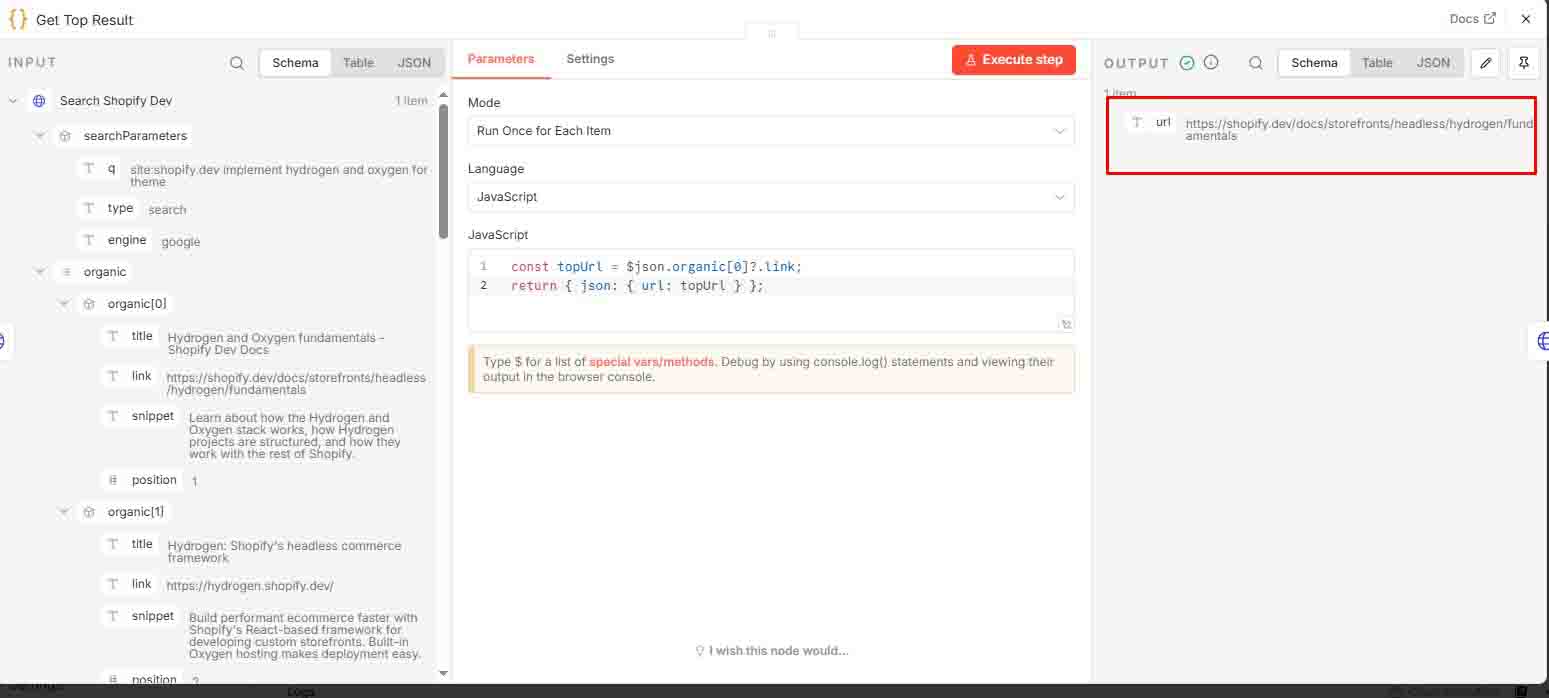
Selects only the top search result and returns it as json.url.
5 Fetch Shopify Page
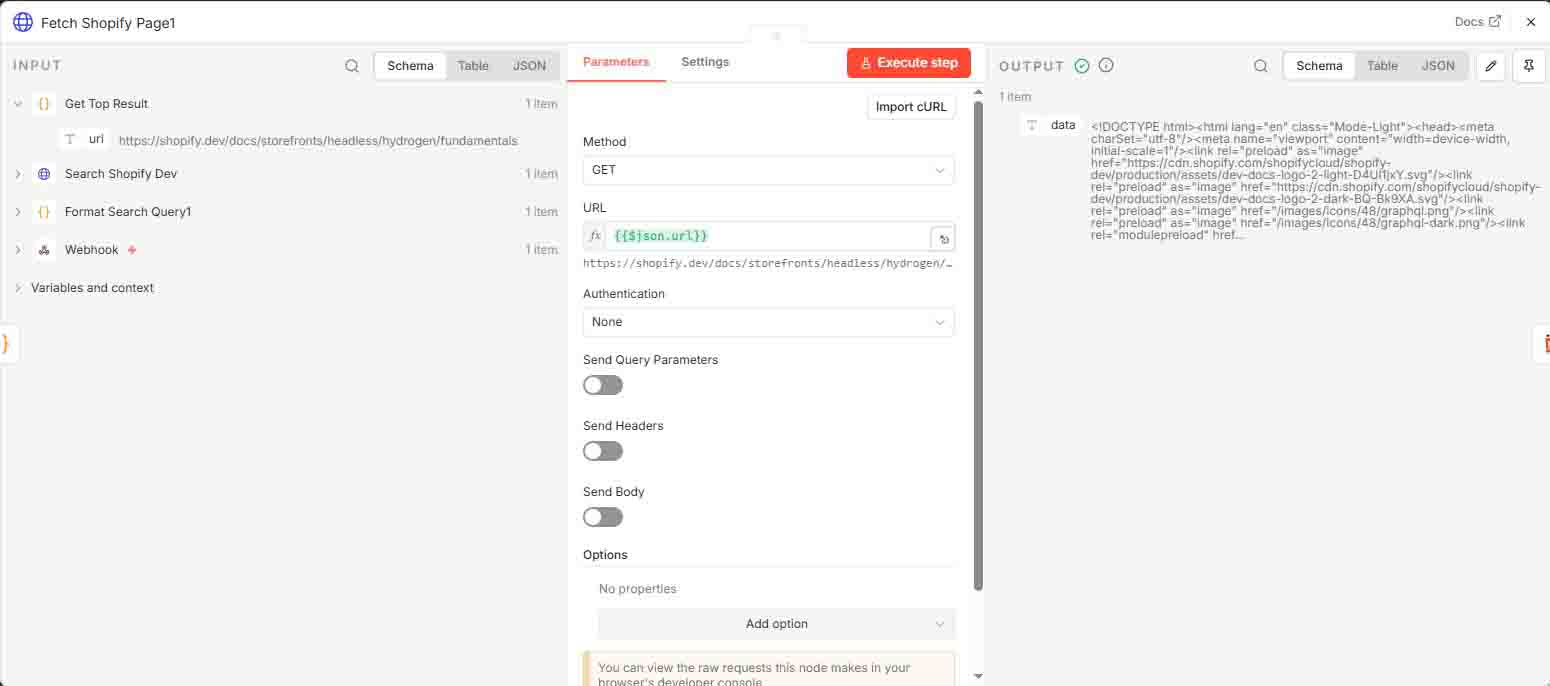
Retrieves the HTML content from the top search result.
6 HTML Extraction
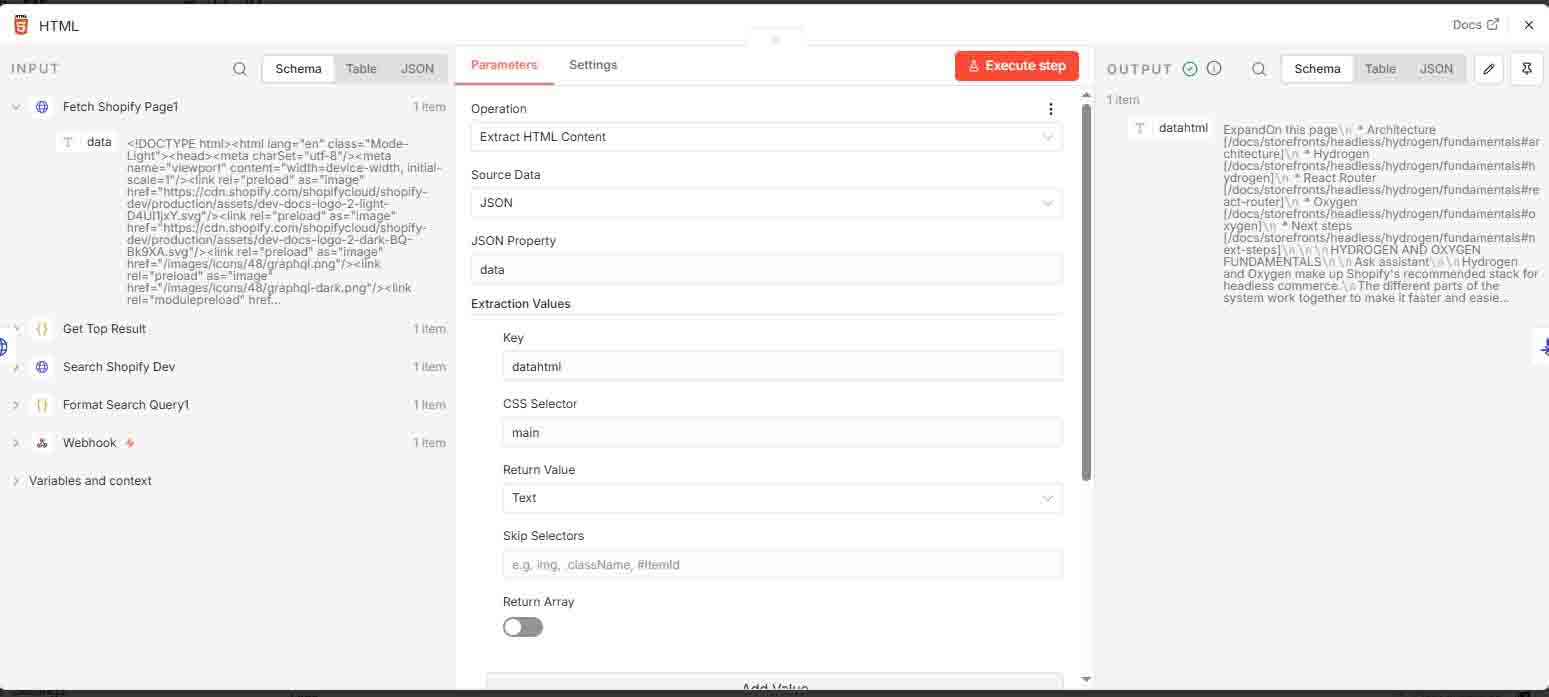
Extracts specific content from the HTML body, saving it as datahtml.
7 HTML File Conversion
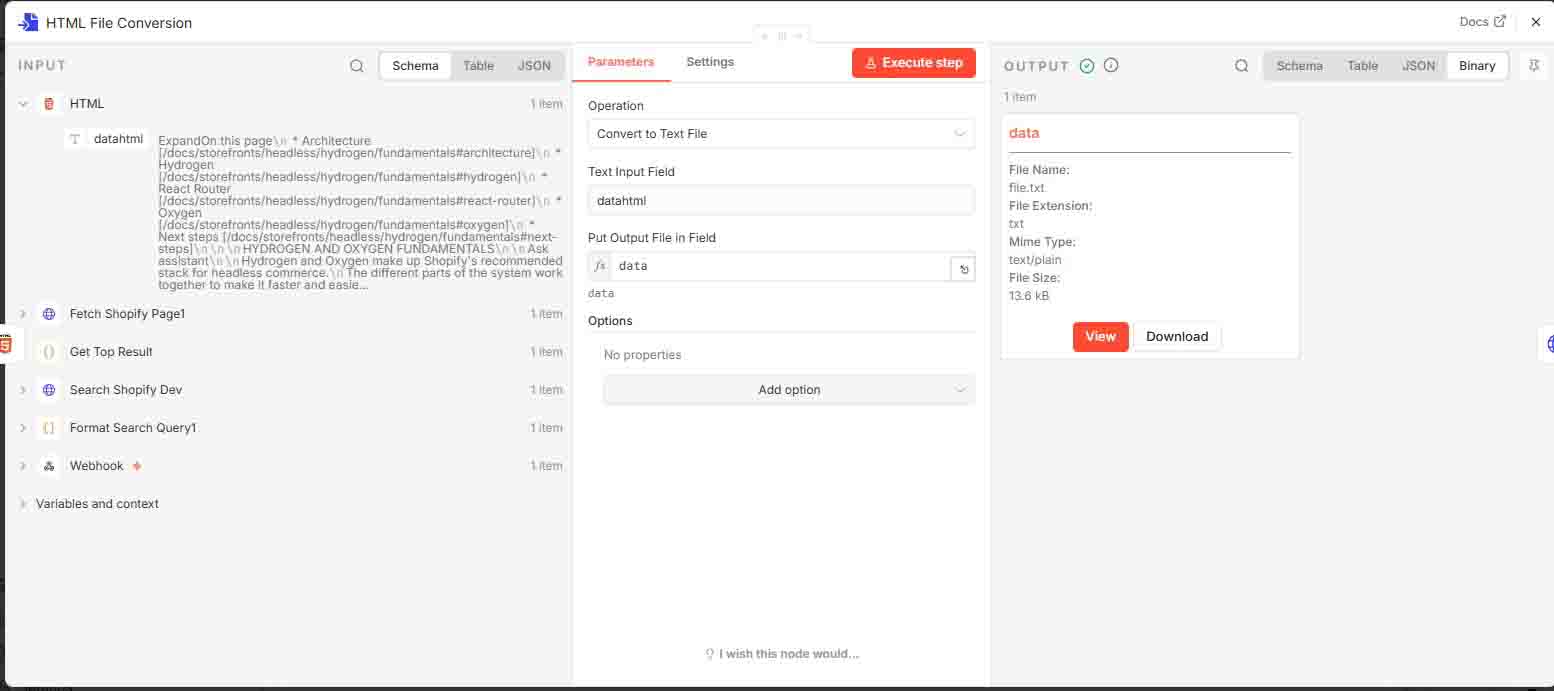
Converts datahtml into a file, which will be attached as a document for the “Ask Ollama” workflow.
8 Embed
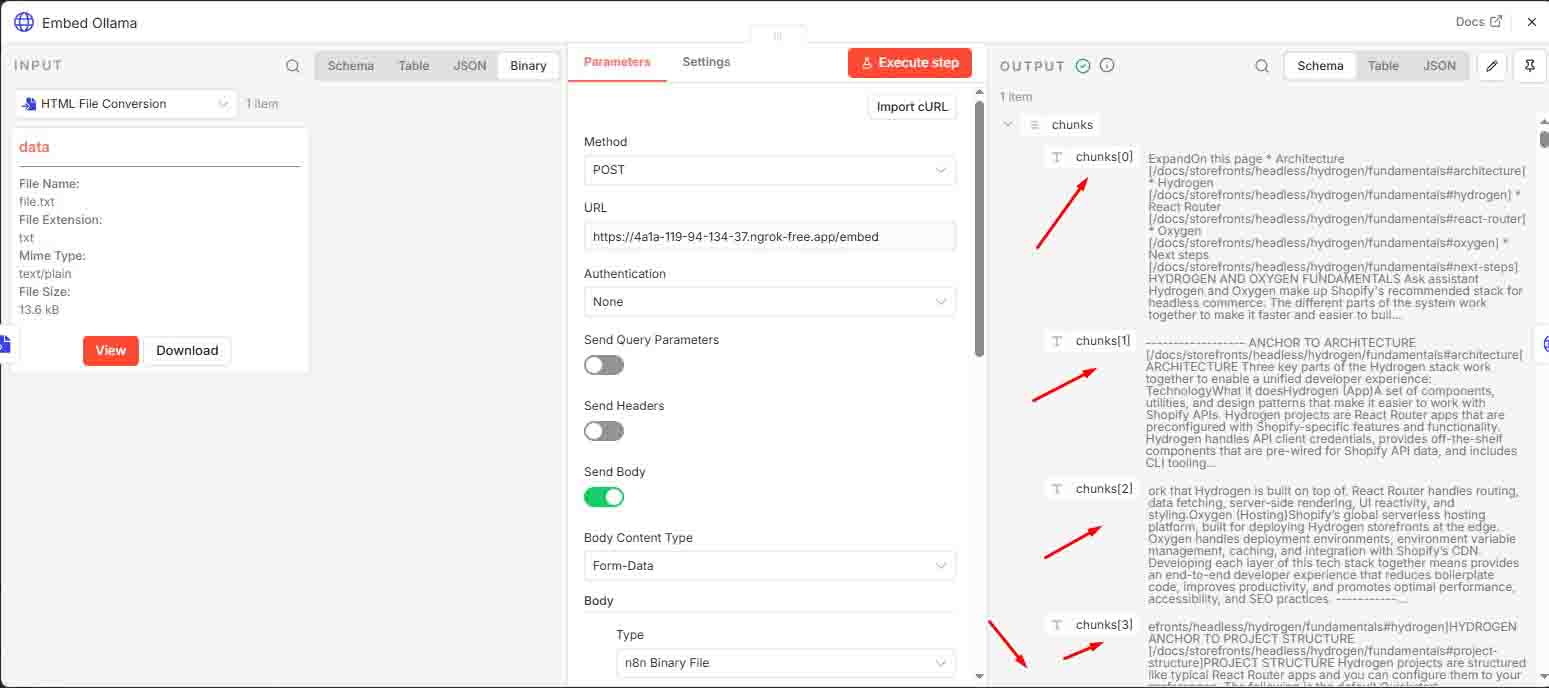
This step sends the processed HTML document to the FastAPI /embed endpoint to create vector embeddings for later retrieval.
Ensure both FastAPI and Ollama are running through ngrok and that the forwarding URLs are correctly configured.
🔹 FastAPI Setup
Python Environment Setup (Using uv):
uv venv
.venv\Scripts\activate
uv pip install -r requirements.txt
requirements.txt
fastapi
uvicorn
torch
openai
ollama
lxml
python-multipart
numpy
embedollama.py
Embed endpoint as new step workflow
#  Utility: Chunk text
def chunk_text(text, chunk_size=800, overlap=100):
    chunks = []
    start = 0
    while start < len(text):
        end = start + chunk_size
        chunks.append(text[start:end])
        start += chunk_size - overlap
    return chunks

# Utility: Embed chunks
def embed_chunks(chunks, model_name='mxbai-embed-large'):
    embeddings = []
    for i, chunk in enumerate(chunks):
        print(f"  ↪ Embedding chunk {i+1}/{len(chunks)}")
        response = ollama.embeddings(model=model_name, prompt=chunk)
        print(f"    • Vector: {response['embedding'][:10]}...")
        embeddings.append(response["embedding"])
    embeddings_tensor = torch.tensor(embeddings)
    return embeddings_tensor, chunks

# FastAPI Endpoint: /embed
@app.post("/embed")
async def embed_uploaded_html(file: UploadFile = File(...)):
    print("→ Reading uploaded file for embedding...")
    contents = await file.read()
    print("✓ File read.")

    text = re.sub(r'\s+', ' ', contents.decode("utf-8")).strip()

    print("→ Splitting into chunks...")
    chunks = chunk_text(text)
    print(f"✓ Created {len(chunks)} chunks.")

    print("→ Generating embeddings for chunks...")
    embeddings_tensor, chunks = embed_chunks(chunks)
    print("✓ All embeddings generated.")

    # Convert tensor to list for JSON serialization
    embeddings_list = embeddings_tensor.tolist()

    return {
        "chunks": chunks,
        "embeddings": embeddings_list
    }
9 Ask and Response
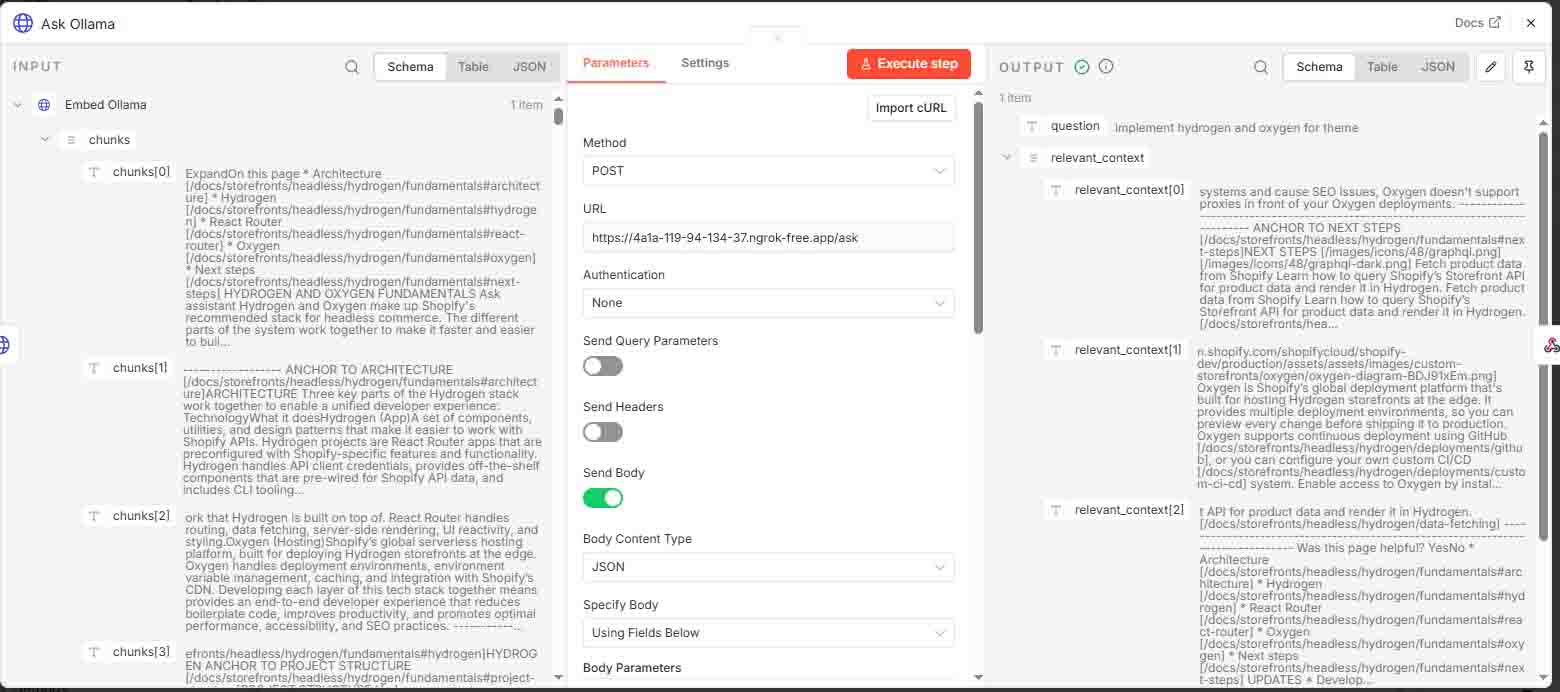
Sends the user’s question to the FastAPI /ask endpoint to generate an answer using the previously created embeddings.
Ensure both FastAPI and Ollama are running via ngrok with correctly updated forwarding URLs.
# Get relevant context
def get_relevant_context(query, vault_embeddings, vault_content, top_k=3):
    print("→ Generating embedding for query....")
    input_embedding = ollama.embeddings(model='mxbai-embed-large', prompt=query)["embedding"]
    print("✓ Query embedding done.")

    input_tensor = torch.tensor(input_embedding).unsqueeze(0)
    cos_scores = torch.cosine_similarity(input_tensor, vault_embeddings)
    top_k = min(top_k, len(cos_scores))
    top_indices = torch.topk(cos_scores, k=top_k)[1].tolist()
    return [vault_content[i].strip() for i in top_indices]

# Main chat wrapper
def ollama_chat(
    question,
    system_message,
    vault_embeddings_tensor,
    vault_chunks,
    conversation_history,
    model_name="dolphin-llama3"
):
    print("→ Getting relevant context...")
    relevant_context = get_relevant_context(question, vault_embeddings_tensor, vault_chunks)
    print(f"✓ Got {len(relevant_context)} relevant chunks.")

    context_str = "\n".join(relevant_context)
    user_input_with_context = context_str + "\n\n" + question if relevant_context else question

    # Append current user message to conversation history
    conversation_history.append({
        "role": "user",
        "content": user_input_with_context
    })

    # Build complete message list including system prompt
    messages = [{"role": "system", "content": system_message}] + conversation_history

    print("→ Sending request to Ollama model...")
    try:
        response = client.chat.completions.create(
            model=model_name,
            messages=messages
        )
    except OpenAIError as e:
        print("❌ OpenAIError:", e)
        raise
    except Exception as e:
        print("❌ Unexpected Error:", e)
        raise
    print("✓ Received response from Ollama.")

    # Append assistant's response to history
    assistant_reply = response.choices[0].message.content
    conversation_history.append({
        "role": "assistant",
        "content": assistant_reply
    })

    return {
        "relevant_context": relevant_context,
        "response": assistant_reply
    }

# FastAPI Endpoint: /ask
@app.post("/ask")
async def ask_with_embeds(request: AskRequest):
    print("→ Received embeddings and chunks for Q&A.")

    vault_embeddings_tensor = torch.tensor(request.embeddings)
    print(f"✓ Loaded {len(request.chunks)} chunks and embeddings.")

    print("→ Calling ollama_chat()...")
    conversation_history = []
    result = ollama_chat(
        question=request.question,
        system_message="You are a helpful assistant that extracts the most useful info from uploaded documents.",
        vault_embeddings_tensor=vault_embeddings_tensor,
        vault_chunks=request.chunks,
        conversation_history=conversation_history,
        model_name="dolphin-llama3"
    )
    print("✓ ollama_chat() complete.")
    print("Final Response:", result["response"])

    return {
        "question": request.question,
        "relevant_context": result["relevant_context"],
        "response": result["response"]
    }
Run the API:
uvicorn embedollama:app --reload🔹 Ollama Setup
Pull required models:
ollama pull mxbai-embed-large
ollama pull dolphin-llama3
🔹 NGROK Setup
Ollama requires traffic policy configuration to accept requests from the FastAPI server. ngrok is used to tunnel requests securely during development.
Configure ngrok traffic policy (docs):
on_http_request:
  - actions:
      - type: add-headers
        config:
          headers:
host: localhost10 Respond to User
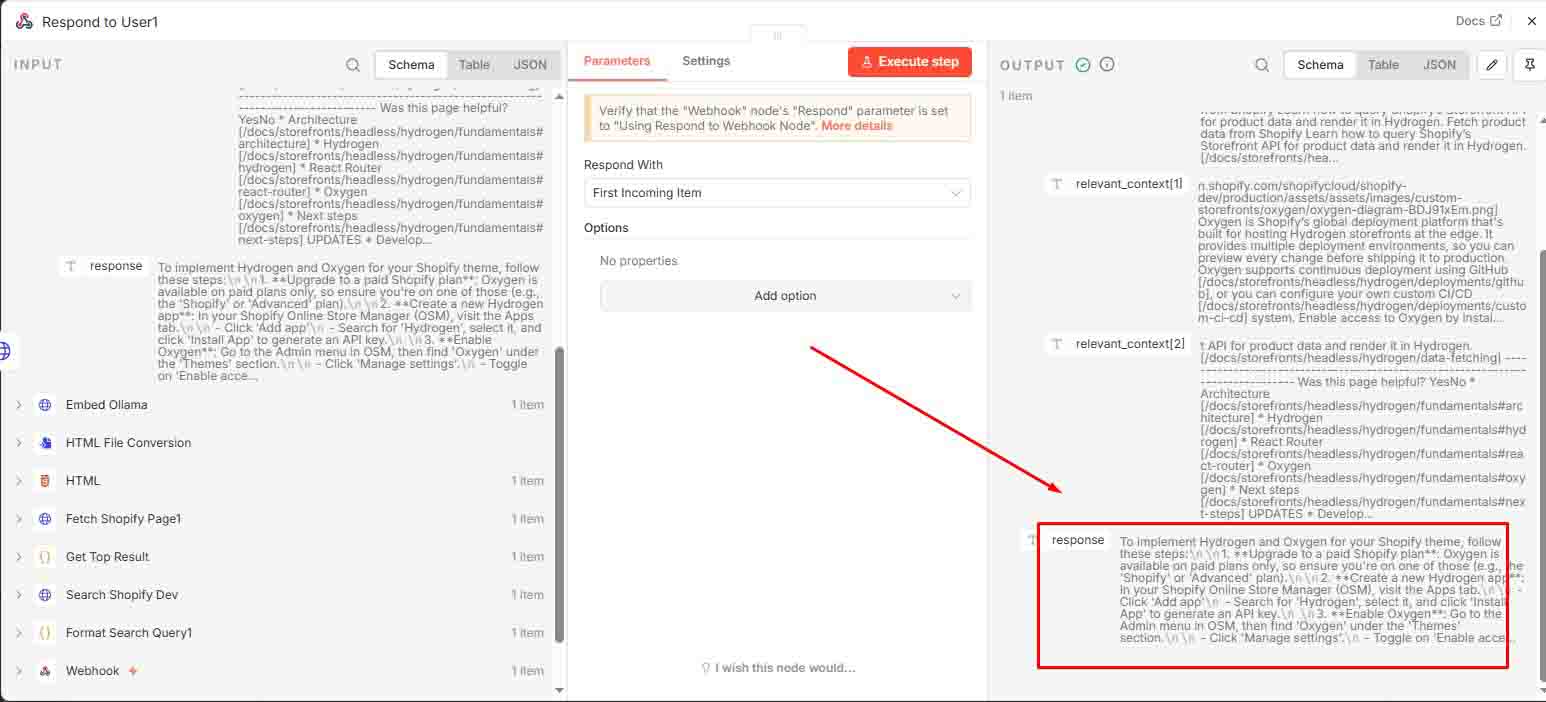
The webhook returns the AI-generated answer based on the question.
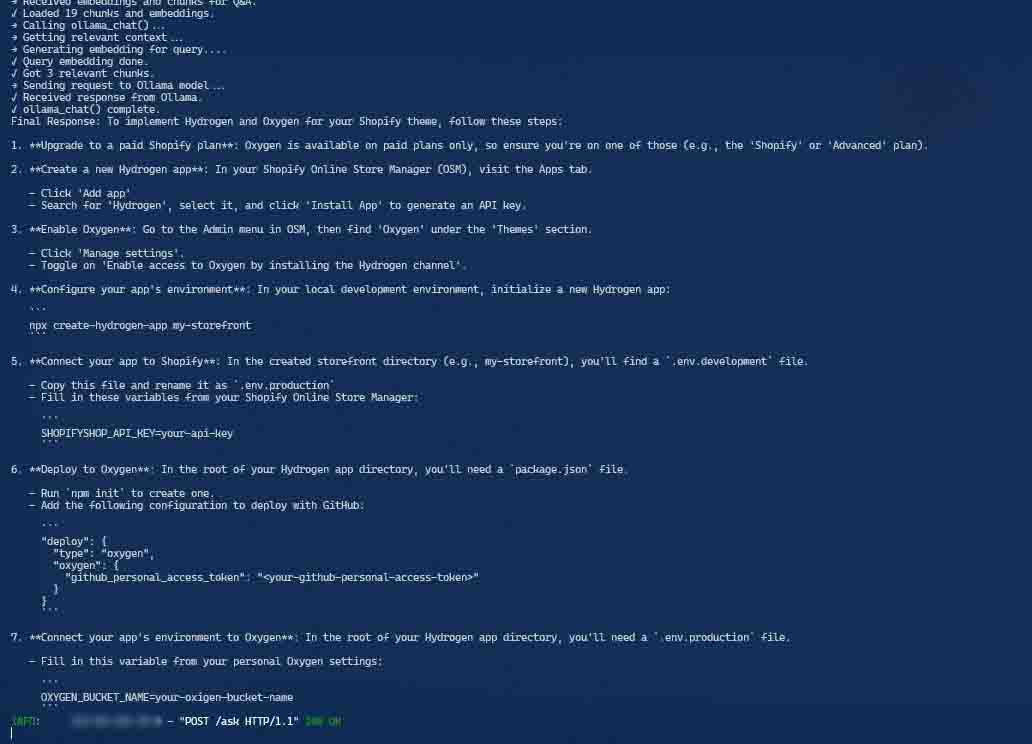
Behind the python running
Embedding: /embed endpoint
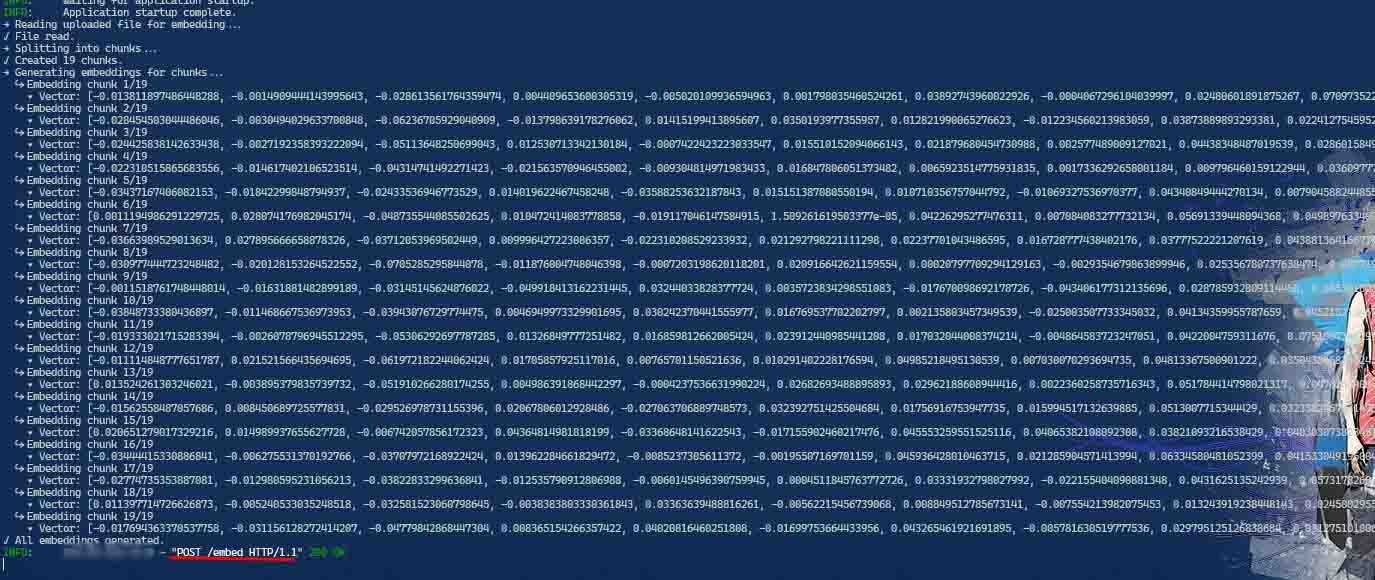
Ask/Response API: /ask endpoint
📄 Downloadable n8n Workflow
The n8n JSON file can be downloaded and customized. Update the configuration to match your environment. (N8N Config file)
📝 TL;DR
Integrating Ollama with FastAPI and a self-hosted n8n workflow enables private, local AI pipelines for structured knowledge retrieval and question answering.
This setup is ideal for:
- Scraping and embedding documentation (e.g., Shopify docs) for semantic search
- Building a Q&A system powered by vector embeddings
- Automating knowledge workflows using low-code orchestration with n8n
- Creating domain-specific AI assistants without relying on external APIs
By separating /embed and /ask, this architecture clearly distinguishes between data processing and response generation. It combines local AI privacy, vector-based retrieval, and flexible FastAPI endpoints for building scalable, AI-powered tools.