
Published on: 2025-01-24
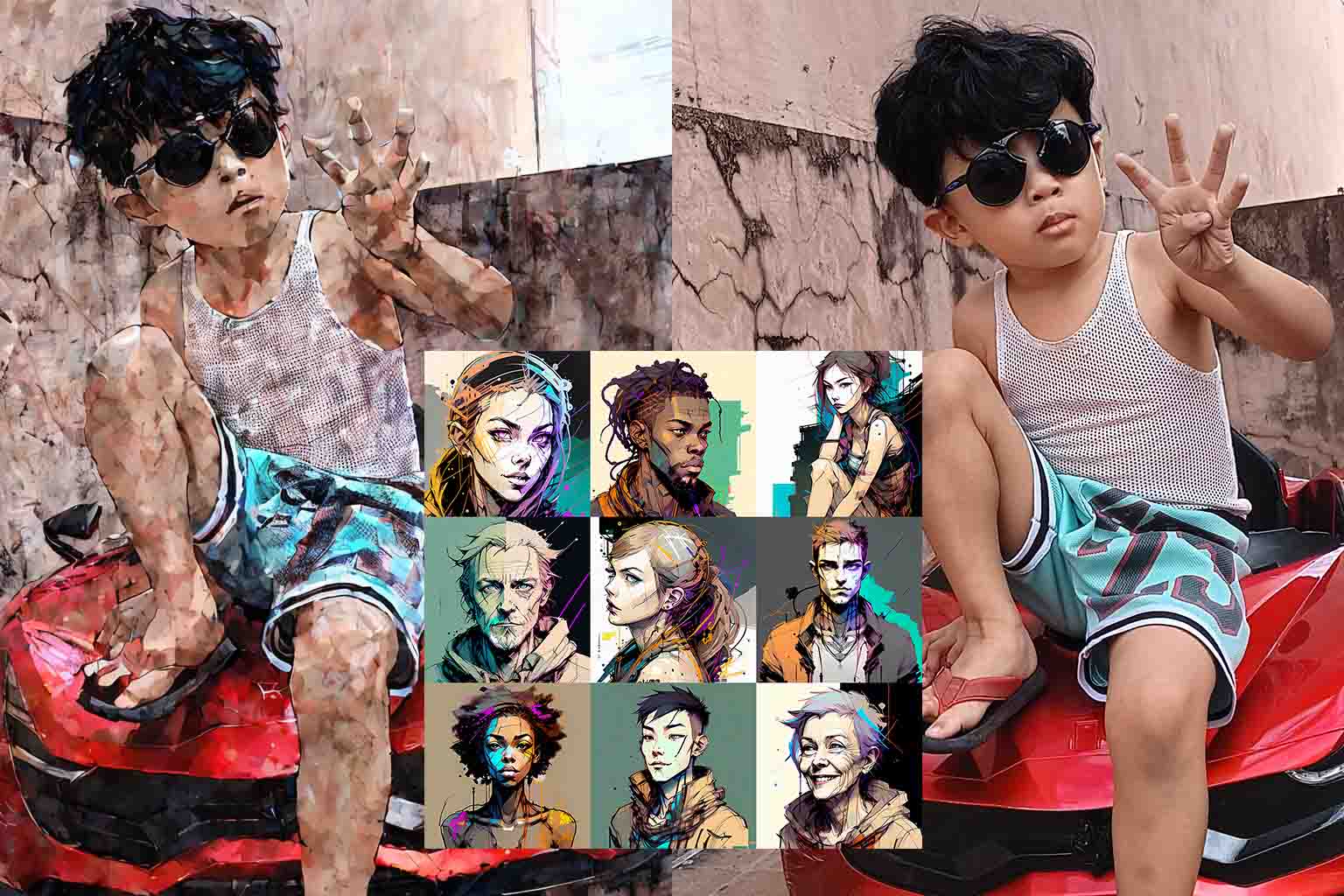
Inkpunk Diffusion produces gritty, brush-ink cyberpunk artwork reminiscent of Yoji Shinkawa’s style. Recently, this model was explored locally to observe its performance without relying on cloud demos. Running it with Gradio enabled seamless testing of prompts and image stylization, offering faster iterations and offline flexibility.
🔍 What is Inkpunk Diffusion?
Inkpunk Diffusion is a Stable Diffusion variant fine-tuned to create stylized ink and brush art, ideal for cyberpunk character designs and textured illustrations. Public demos on Hugging Face Spaces showcase its potential, but local execution provides:
✅ Faster generation with GPU
✅ No API rate limits
✅ Full control for customization
✅ Ability to reference specific artist styles in prompts (with awareness of ethical and copyright considerations)
However, it is important to consider copyright and usage rights when creating outputs, especially if styles or likenesses are inspired by existing artists, similar to concerns raised with models like Sora. Responsible use ensures respect for original creators while exploring AI capabilities.
💻 Local Setup Overview
🔗 Code Source
Clone the code from this repository: (Updated)
https://huggingface.co/spaces/ajov-malacoda/inkpunk-diffusion/tree/main
The exact Huggingface space where this code was originally found could not be located. It may have been removed, renamed, or set to private. This repository provides the cloned version used for local testing.
For local testing, safety_checker=None can be added when loading the pipeline:
pipe = StableDiffusionImg2ImgPipeline.from_pretrained(
    model_id,
    torch_dtype=torch.float16,
    safety_checker=None  # For testing purposes only
)
⚠️ Note: Adding safety_checker=None disables content safety checks and is intended for local testing only. Huggingface Spaces does not allow deploying models with this parameter set.
1 Model Loading
The code uses StableDiffusionImg2ImgPipeline from the diffusers library:
from diffusers import StableDiffusionImg2ImgPipeline
import torch

model_id = "Envvi/Inkpunk-Diffusion"
pipe = StableDiffusionImg2ImgPipeline.from_pretrained(
    model_id,
    torch_dtype=torch.float16,
    safety_checker=None
).to("cuda")
Using float16 optimizes GPU memory usage, while .to("cuda") ensures fast inference.
2 Image Preprocessing
To maintain aspect ratio during resizing:
from PIL import ImageOps

def preprocess_image(image, target_size=(1024, 1024)):
    image = ImageOps.fit(image, target_size, method=Image.Resampling.LANCZOS, centering=(0.5, 0.5))
    return image
3 Generating from Text Prompts
A function generates images directly from prompts:
def inkpunk_from_prompt(prompt, num_inference_steps, guidance_scale):
    with torch.no_grad():
        return pipe(
            prompt=prompt,
            num_inference_steps=num_inference_steps,
            guidance_scale=guidance_scale,
        ).images[0]
4 Stylizing Uploaded Images
Another function stylizes an uploaded image with Inkpunk aesthetics:
def inkpunk_from_image(prompt, uploaded_image, strength, num_inference_steps, guidance_scale):
    if uploaded_image is None:
        return "Please upload an image."
    init_image = preprocess_image(uploaded_image.convert("RGB"))
    with torch.no_grad():
        return pipe(
            prompt=prompt,
            image=init_image,
            strength=strength,
            num_inference_steps=num_inference_steps,
            guidance_scale=guidance_scale,
        ).images[0]
5 Gradio Interface
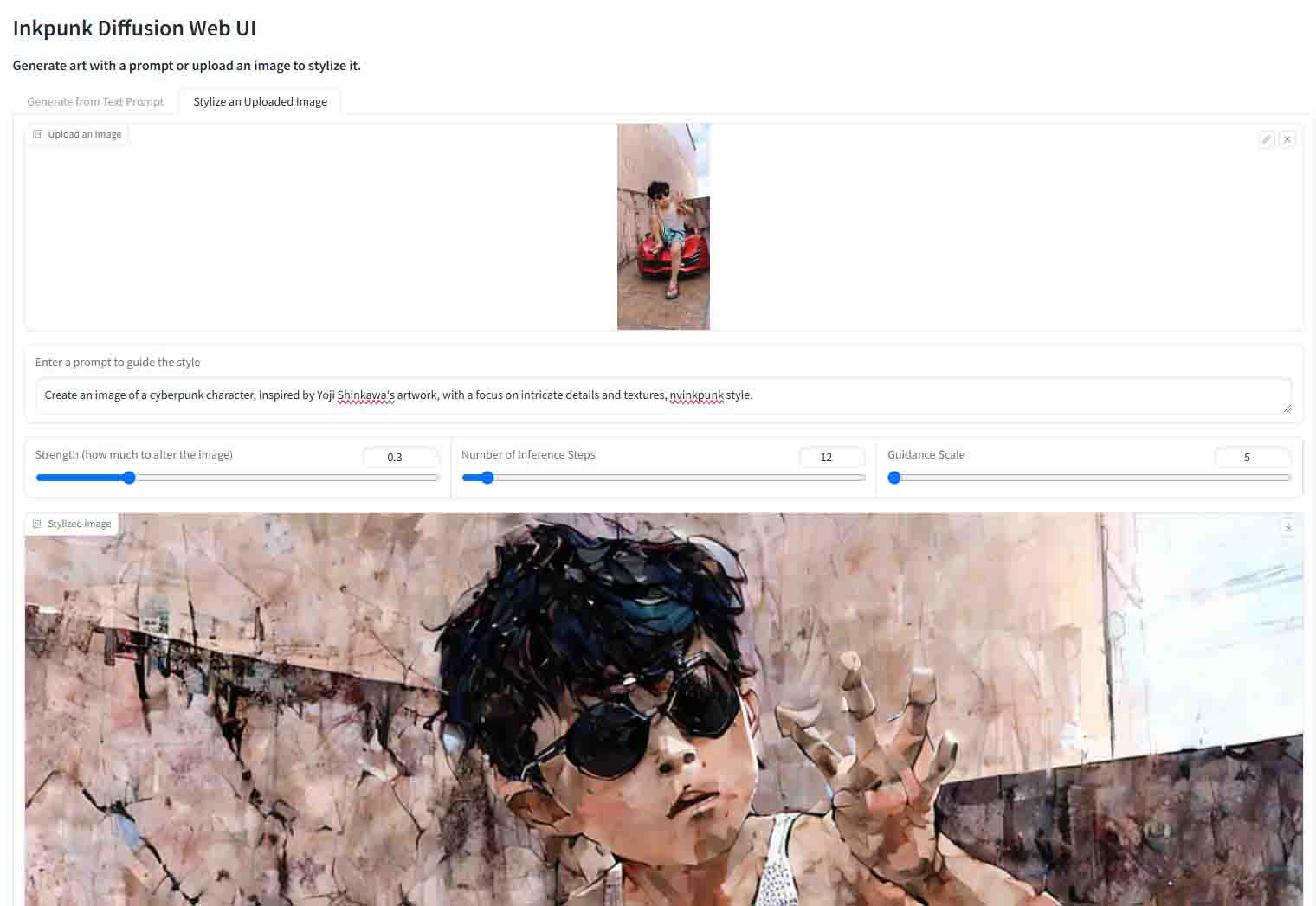
Gradio was used to create a simple web interface with two tabs:
- Generate from Text Prompt – produces new images
- Stylize Uploaded Image – transforms an existing image with Inkpunk style
Running the script launched Gradio locally, allowing quick testing of different prompts, strengths, and stylization methods.
✨ Observations
Exploring Inkpunk Diffusion locally revealed its strengths in producing detailed, brush-ink illustrations ideal for:
- Cyberpunk and mech character design
- Textured concept art
- Manga-inspired poster art
Running it offline also provided flexibility to integrate with future AI art workflows without cloud constraints.
🧾 Summary
Viewing Inkpunk Diffusion outputs online only shows the surface. Running it locally uncovers how the model behaves, how prompts and parameters shape results, and how to apply it effectively.